See what your child learned, and set their time, from your phone
No account and no password: link your phone to the tablet once with a six-digit number, then open the parents' page whenever you like.
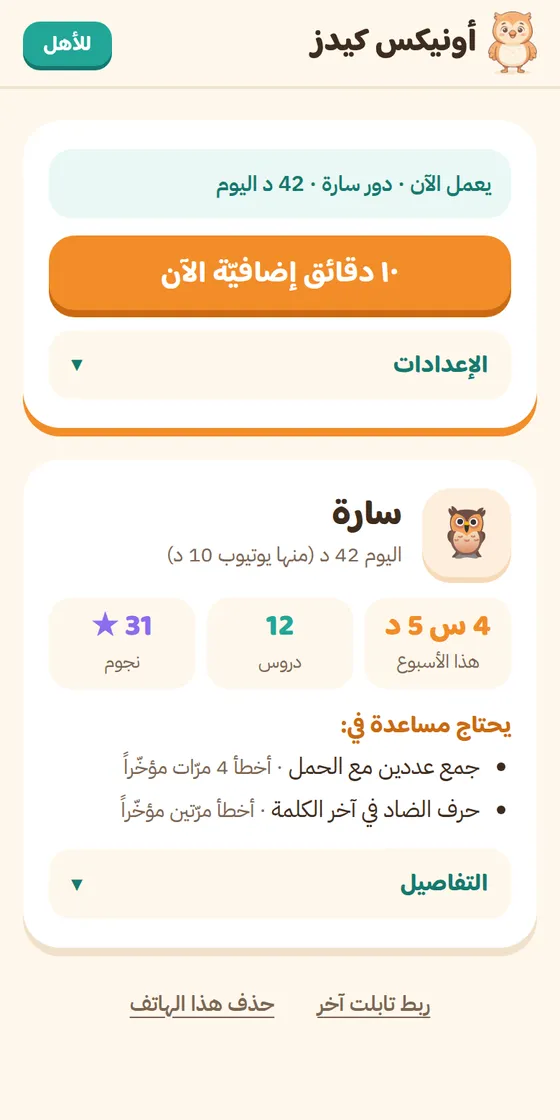
Link your phone in a minute
Open «Parents» on the tablet
Tap ⚙️ and enter the parents' code.
Tap «Link a parent's phone»
A six-digit number appears, and a QR code.
Type the number on your phone
At onyxkids.uk/p, or scan the code with the camera.
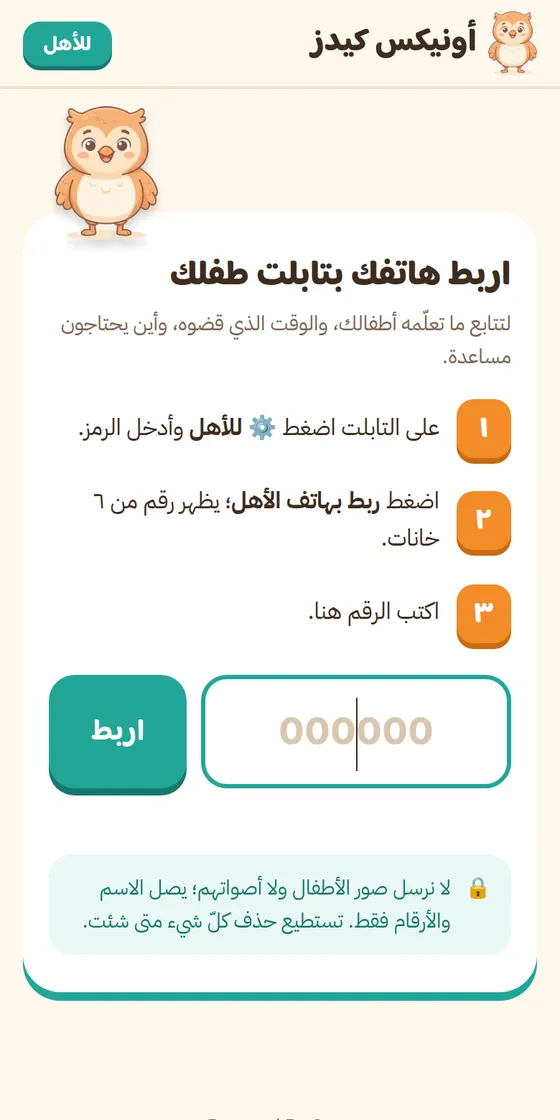
What you see
Time
Each child's minutes today and over the last seven days, including YouTube time if you allow it.
Progress
Lessons finished, stars, and the next lesson in each section.
Where they struggle
The questions they got wrong lately, with the right answer, so you can help.
What you decide
- Daily play time
- From half an hour to three hours, or no limit.
- Bedtime
- Between the two times you set, the tablet stops.
- YouTube
- Off, or on for a time you choose.
- Ten more minutes
- One tap on your phone; it reaches the tablet within half a minute.
- The parents' code
- Change the code that opens the settings on the tablet.
What reaches us, and what never does
Your child's first name, the animal they chose, their minutes, lessons and stars, and only after you link your phone. Never a photo of your child, their voice, or anything the camera sees. You can unlink and remove your phone at any time.
Open the parents' page